Introduction
This site was created to be a beginner's guide to creating websites. It is common to refer to the development of websites and "web apps" as "web development," or "web dev" for short.
Creating a website involves many different types of technologies - and on this site, we'll look at the technologies that are used by the web browser when it shows you a web page. These technologies are often referred to as "front end" technologies, and consists of three key technologies.
- HTML, which stands for "Hypertext Markup Language". HTML is responsible for creating the layout of a web page. It is used to tell the browser how to place elements on the web page.
- CSS, which stands for "Cascading Stylesheets". CSS is responsible for styling web pages.
- JavaScript is the programming language that runs in the web browser, and is often abbreviated to "JS". JavaScript is responsible for making web pages interactive and allows us t omake our web pages do cool things!
This site will be broken down into four main parts: one part for HTML, one for CSS, one for JavaScript, and one dedicated to putting it all together.
How the site works
This site consists of a little bit of text and a lot of tutorial videos. You will see the following icon throughout the pages of this site:

When you see an icon like that, click on it to play the corresponding video! When you do, your screen will look something like the following:
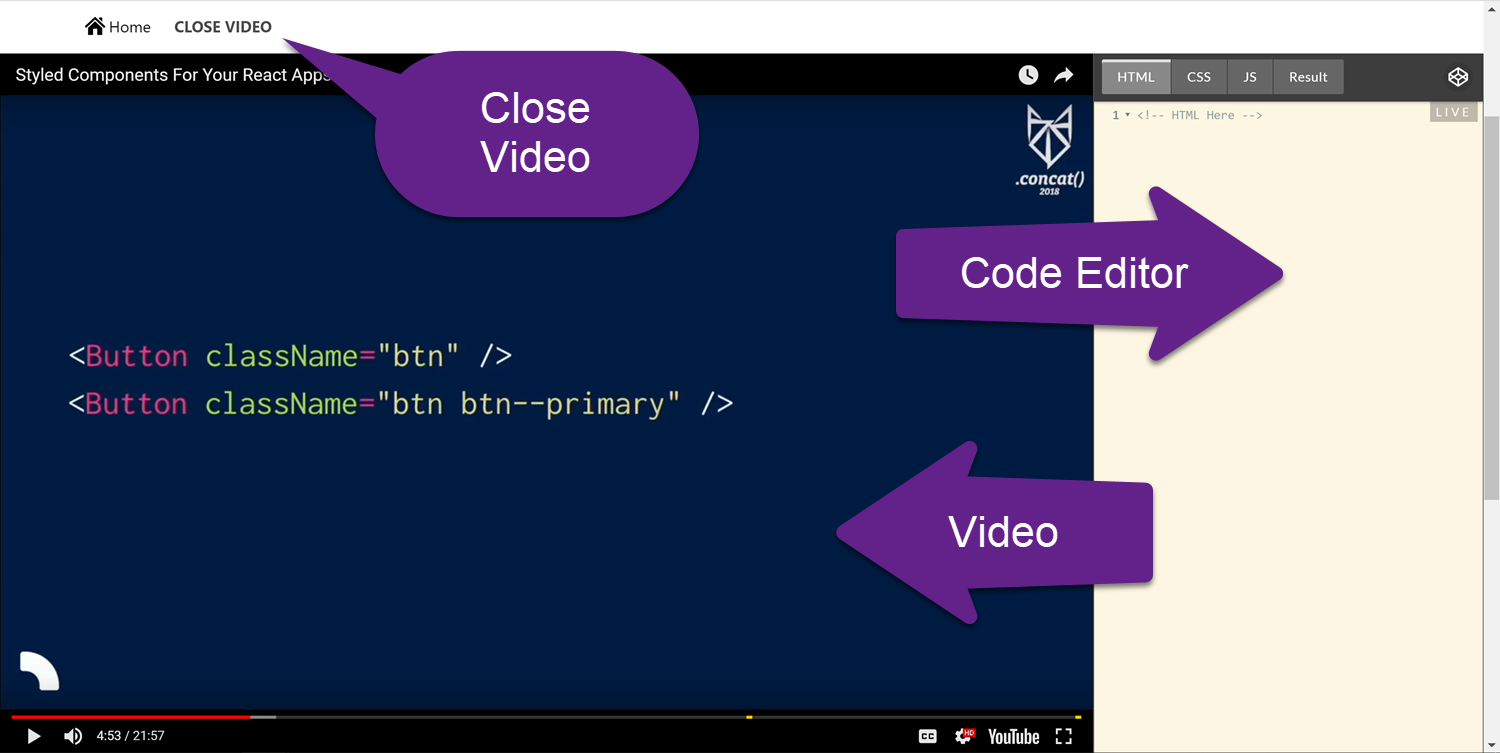
The video will play on the left (or top), and the right (or bottom) side of the screen will become a code editor (thanks, CodePen!). Use the HTML, CSS, JS, and Result tabs at the top of the code editor to switch between writing HTML, CSS, JavaScript, and seeing the result. This is a great way to try the code you're learning about!
At the top-right of the code editor, there is a little icon that looks kind of like a 3D cube. If you click on that, it will open your code in CodePen - which gives you a little more flexbility, and you can save your code on CodePen by creating an account!
You will also come across some activities to complete. There will be code editors embedded in the page for you to write code in. Here's an example:
If you add content to the HTML, CSS, and/or JS sections of the code editor, the results will be shown on the "Result" side of the editor.
Navigating the Site
Use the navigation bar at the top of the website to navigate through the site content. Start with the HTML pages, and work through them in order. Then complete the CSS pages, and so on.
Who Made This Site?
The content of this site was created by Grant Sander as part of COSma Learning's set of learning resources.